Assalamualaikum!
Sampurasun…
Hallo everybody! Now Im going to tell you about my team’s project progress. Thi project is about posting data to web server using ESP8266. We’ll try IoT project, u know? Oh my God! It is so awesome I think! But, can we do that so well? Let me to explain that!
We try as always base on some references and try it ourselves. I try three experiments to solve it from 2 references. I’ll describe them as shown below.
1st Experiment
Trying to send data to web server (we made it ourselves) using temperature sensor. This experient had been done by Airen and Dinda. But we tried it again and hope miracle with us.
Prepare all components we need as shown below.
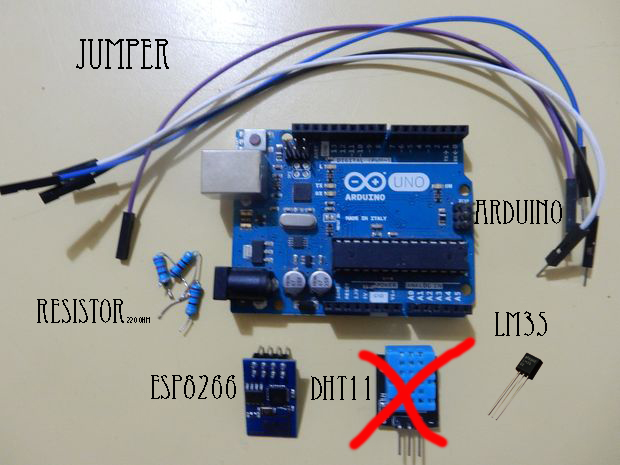
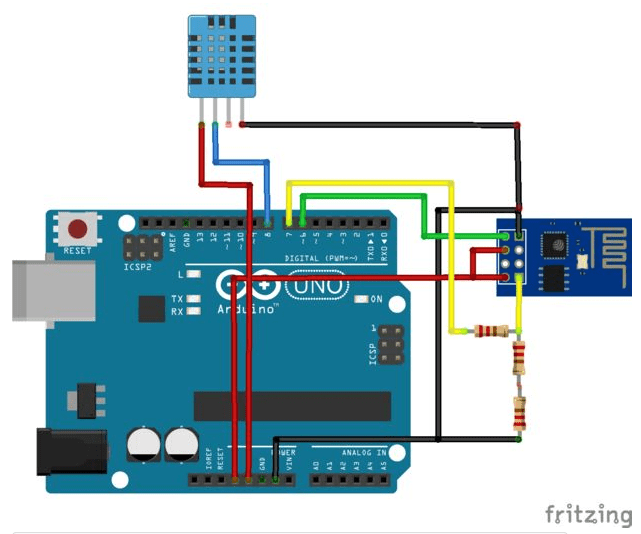
Build the series from include all components as picture below.
2nd Experiment
We tried temperature monitoring through internet using ESP8266 Wi-Fi Module project. It’ll be transmission for uploading temperature data from LM35 (temp sensor) to channel which had been done and ploting to line graph form on ThingSpeak.com(website).
We tried as well as steps on reference
Step 1
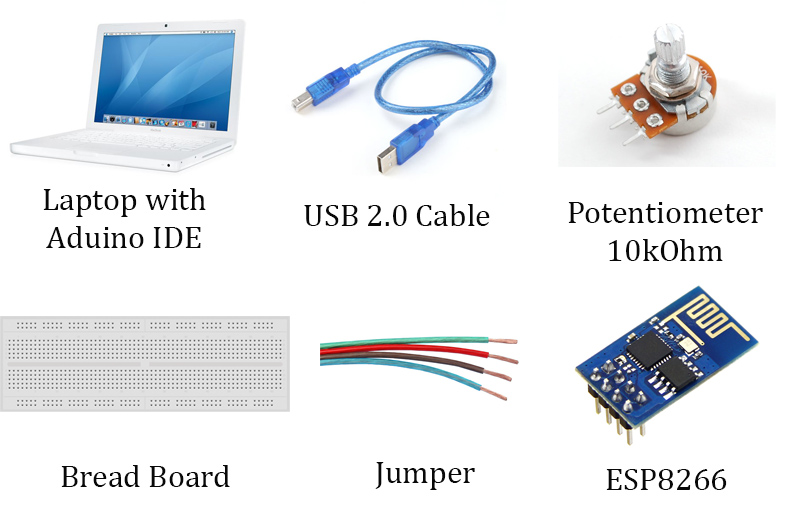
Prepare all components we need as shown below
Step 2
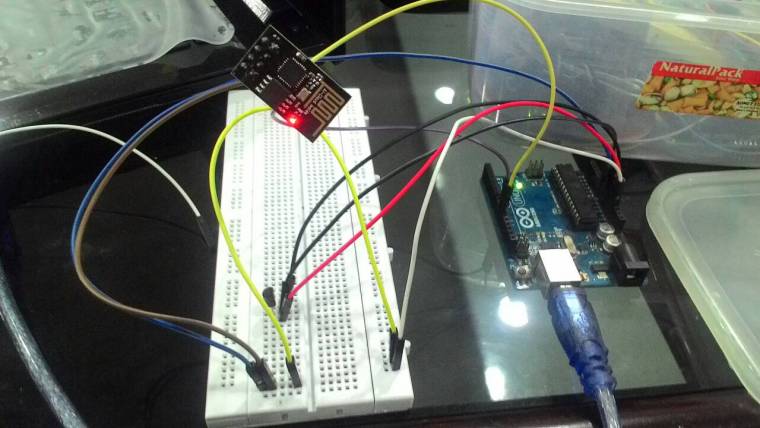
Build the series as shown below
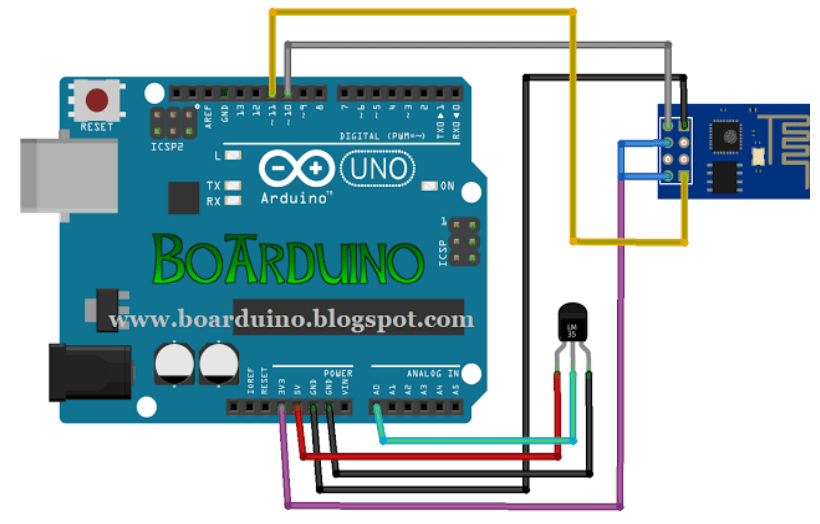
Here we did ourselves to build the series as show below
Step 3
Set ESP8266 to be 3rd mode. You can do that here.
After that, we tried as well as on our reference.
But, we stil didn’t geti it, yet. The graph didn’t appear. We’ll try anytime.
Reference:
First Experiment : http://www.instructables.com/id/Arduino-Esp8266-Post-Data-to-Website/?ALLSTEPS
Second Experiment : http://www.boarduino.web.id/2015/08/monitoring-suhu-melalui-internet-dengan.html
 Yuni CitrawatI
Leave a comment