Bismillahirrahmaanirrahiim
Assalamualaikum
Sampurasun!
Hallo! Now I’ll tell you about our(my team, I’d inprevious post) 2nd Arduino Project, and it is my first time to write using English, hope you enjoy it hehe. I also apologize for my bad in English.
So, I’ll show you how to use ESP8266 Wi-fi module”. On Tuesday-Feb 23rd, Adinda, Airen, Kak Ipah, and Dewi tried it, but I wasn’t there because I had to go to Jakarta for interview. On that time, they’d failed for trying ESP8266 Wi-fi Module. Then, we tried (again) on Tuesday-Mar 1, and finally, we GOT IT!
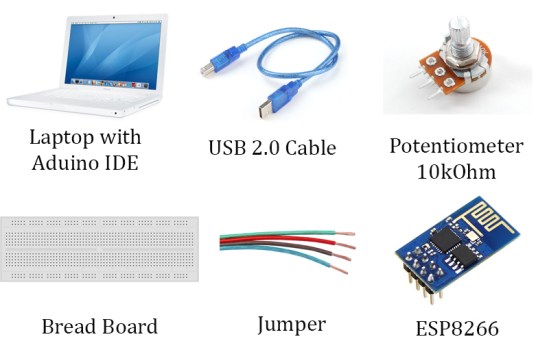
We just need these components which shown below.
Step 1
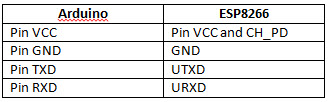
Arrange the series like the picture be shown below.
Step 2
Open Arduino IDE, and write as code as below and upload sketch to Arduino board
void setup() {
// let it blank
}void loop() {
// let it blank
}
Step 3
Open Arduino’s Serial Monitor and set Both NL & CR and Baudrate 115200. We forget to set up this, it cause we got nothing on serial monitor after the skecth uploaded 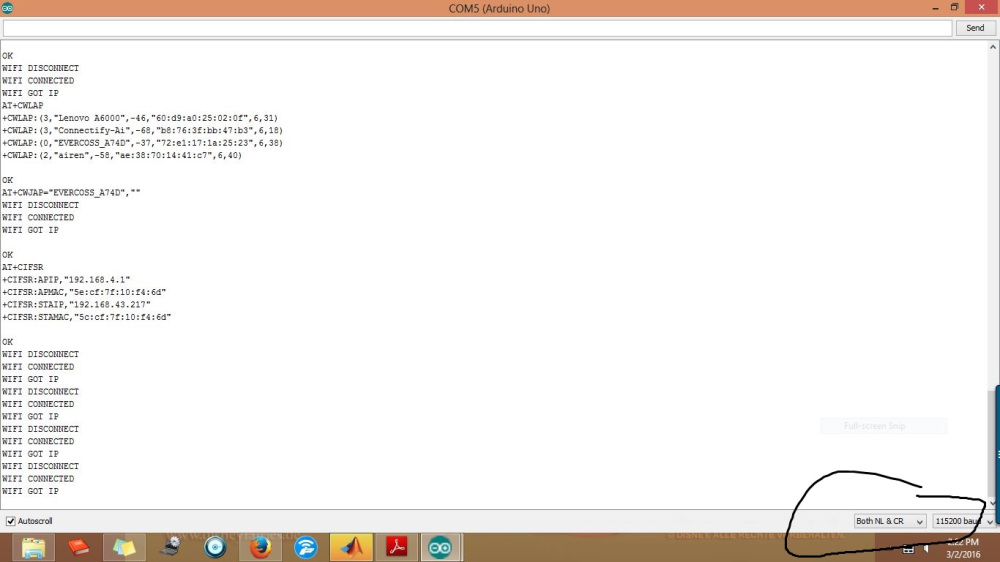
Step 4
Next, we’ve entered ESP8266 AT command
First, we enter command AT+RST to reset ESP8266 module

Enter the commands following reference
AT+GMR to check Firmware version
AT+CWMODE=3 to set operation mode to 3
AT+CWLAP to search available point access
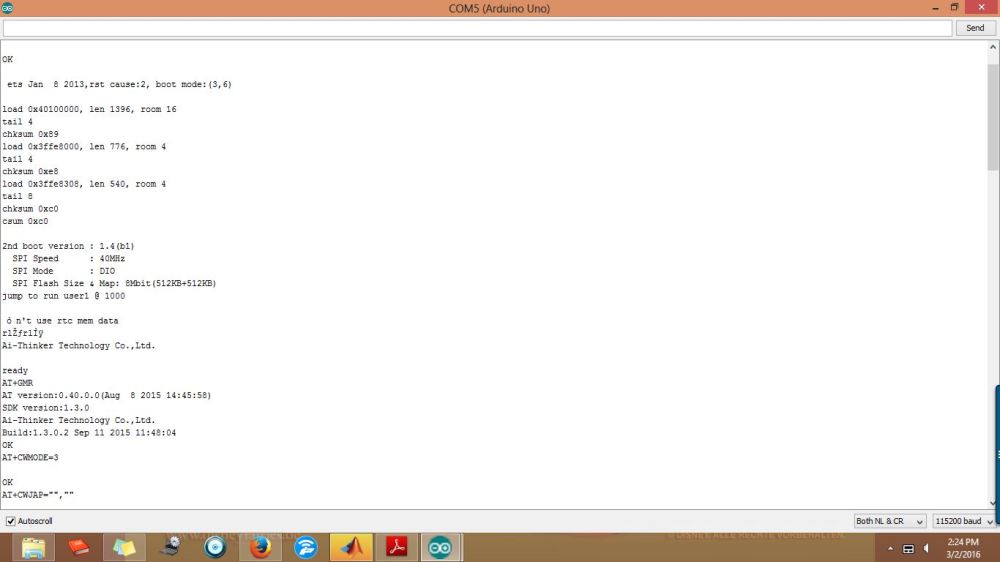
Detect WiFi and show them which around our Arduino
AT+CWJAP=”SSID“,”Password“
AT+CIFSR to check IP Address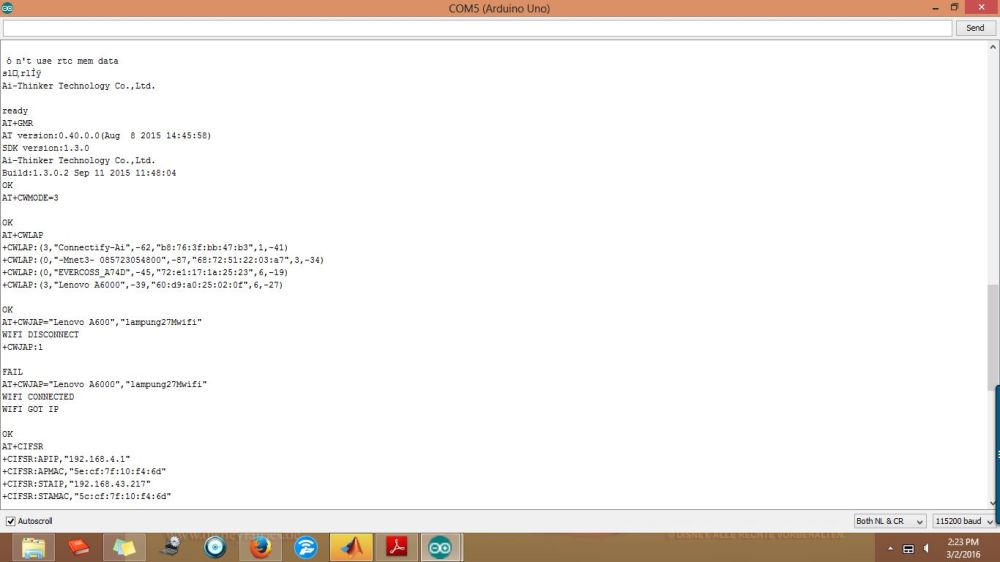
Connect with hotspot from Dewi’s phone
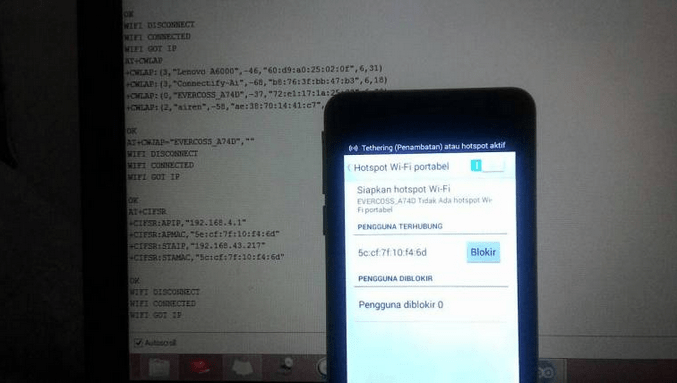
Alhamdulillah, we Got It!
Next post, I’ll tell you bout connection web server using ESP8266
Thankyouuuu
Reference:
http://www.boarduino.web.id/2015/08/konfigurasi-esp8266-sebagai-client-dan.html
 Yuni CitrawatI
Leave a comment